
Views: 0 Author: Amenda Publish Time: 2026-01-07 Origin: FDMAT
Many people spend long hours using a mouse every day. Wrist pain, arm fatigue, and shoulder tension are common problems. This is why ergonomic mice and ergonomic mouse pads have become popular, thanks to their ergonomic design and the ergonomic benefits they offer for comfort and strain reduction. But do they really work? And are ergonomic mice worth it?
This guide explains how ergonomic mice, ergonomic mouse pads, and smart mouse pads work, who should use them, and how to choose the right setup. It will also help you understand the ergonomic benefits of different ergonomic designs.
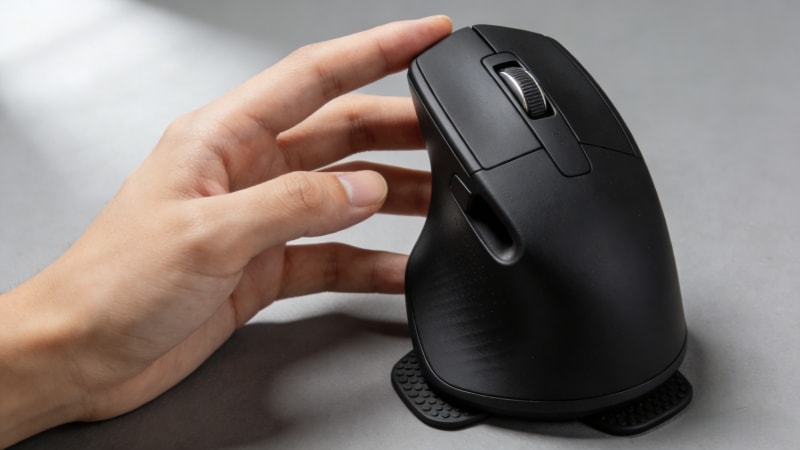
Ergonomic mice are designed to reduce strain on your hand, wrist, and arm. Unlike traditional flat mice, ergonomic mice change the hand position to feel more natural by promoting a natural position.
Common types include:
Vertical mouse that keeps the wrist in a natural handshake position, aligning the hand and forearm in a more natural position
Angled mice that reduce wrist twisting
Trackball mouse that reduces arm movement
These designs often feature a supportive shape to enhance comfort and maintain proper hand posture. They aim to lower muscle tension during long computer use.
Yes, ergonomic mice can work — but only when used correctly.
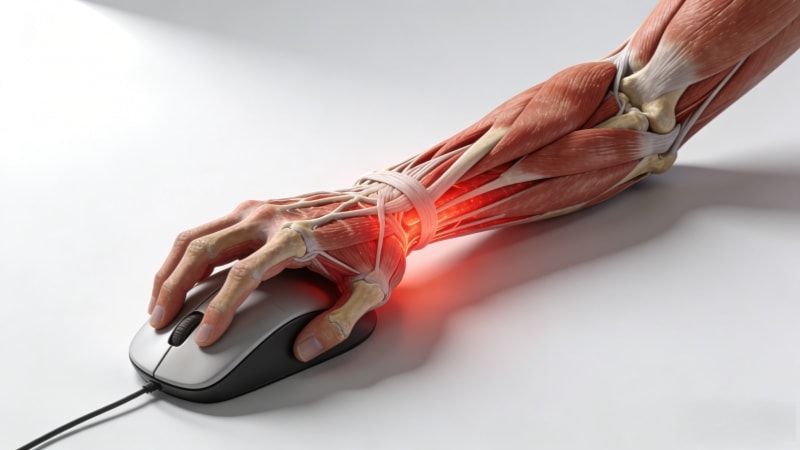
A traditional mouse forces your wrist to twist inward. This position increases pressure on muscles and tendons. Over time, this can lead to discomfort or repetitive strain injuries.
Ergonomic mice improve wrist and forearm posture by:
Reducing wrist twisting
Encouraging a more neutral hand position
Lowering muscle tension during long use
Reducing repetitive movements and promoting ergonomic posture
They help maintain a healthier wrist posture and reduce unnecessary wrist movement, which can minimize strain and discomfort during extended use.
Some ergonomic mice are also designed to reduce forearm pronation, further improving comfort by supporting a more natural hand and wrist position.
However, results are not instant. Most users need several days or weeks to adjust. Ergonomic mice help most when used consistently and combined with proper desk setup.
Ergonomic mice are most useful for:
Office workers using a mouse for 6–10 hours daily
Graphic designers, designers, programmers, and editors (for example, those working in graphic design)
Heavy computer users who perform frequent and prolonged mouse use
People with wrist, hand, or shoulder discomfort
For these users, ergonomic mice can improve comfort and reduce long-term strain.
Ergonomic mice may not be necessary for:
Light or occasional computer users
People using a mouse less than 1–2 hours a day
Users who prefer traditional mouse shapes, such as a regular mouse, standard mouse, or conventional mice, as a typical mouse may feel more familiar and comfortable to them
If you rarely feel discomfort, switching may not bring clear benefits.

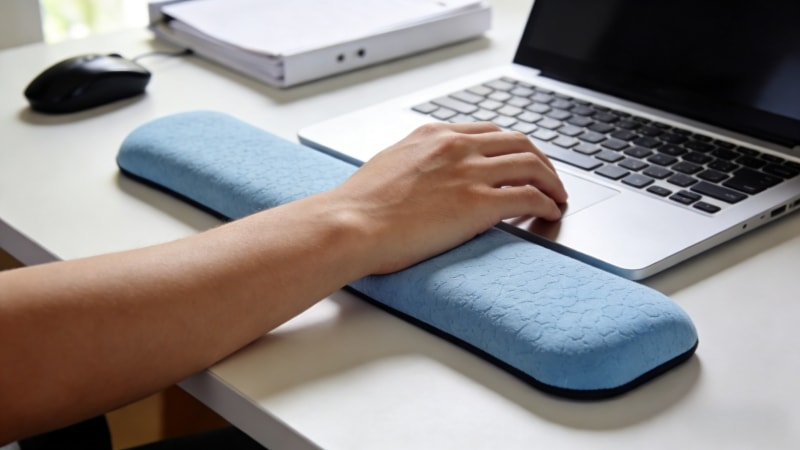
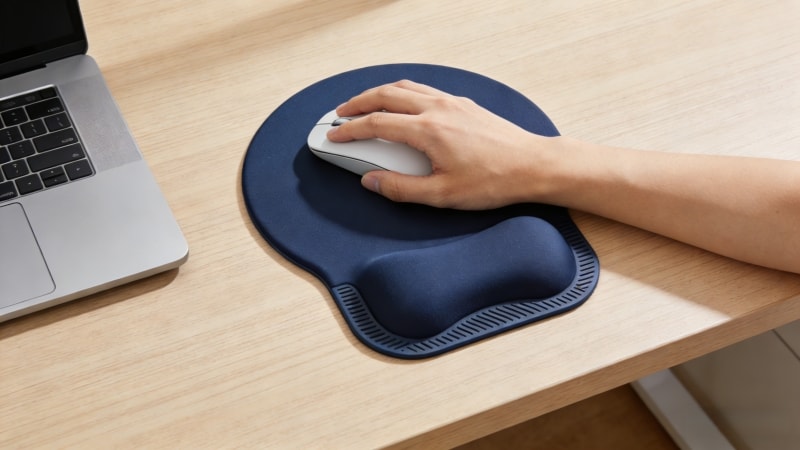
An ergonomic mouse pad is designed to improve comfort and control during mouse use. The most common types are:
Wrist-rest mouse pads with gel or foam support
Flat ergonomic desk mats with cushioning (note: these mats differ from using a flat mouse, which may not offer the same ergonomic benefits as vertical mice designed to reduce wrist strain)
Large mouse pads that support both mouse and arm
Unlike mice, mouse pads mainly reduce pressure and improve stability, not posture.

Both products help, but in different ways.
Ergonomic mouse: improves wrist and hand posture
Ergonomic mouse pad: reduces pressure and improves comfort
Using only one gives partial benefits. Using both together creates a more balanced and comfortable setup, especially for long workdays, significantly enhancing ergonomic comfort.
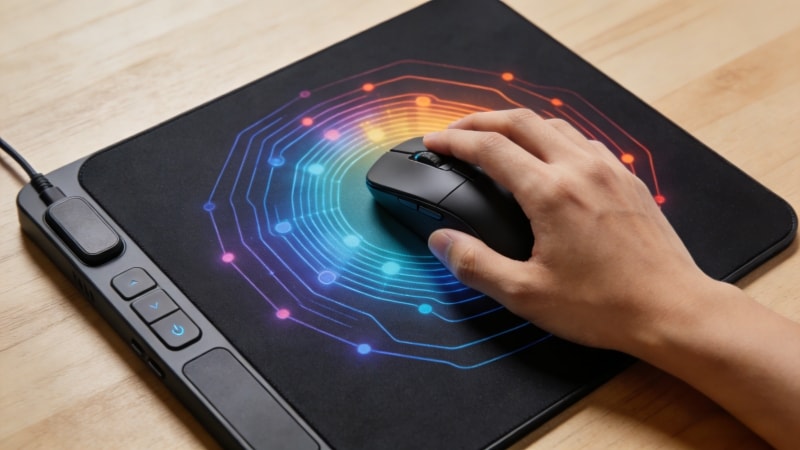
A smart mouse pad includes electronic features such as:
Usage tracking
Break reminders
Pressure or movement sensors
Pointer speed adjustments
These products aim to improve habits, not posture. In reality, smart mouse pads are useful mainly for users who like data tracking or reminders. For most people, a high-quality ergonomic mouse pad without electronics works just as well.
Ergonomic mice come in different shapes to fit various hand sizes and grip styles. Choose a mouse that matches your hand size and grip style. Some models are specifically designed for medium hands, providing a supportive shape that enhances comfort and usability. A mouse that is too large or too small can cause discomfort, even if it is ergonomic.
A good ergonomic mouse pad should:
Be large enough to support smooth movement
Have moderate thickness for comfort
Use a stable base to prevent slipping
Large desk mats are especially helpful for office work.
Your forearm should rest naturally on the desk, with the wrist in a neutral position. No mouse or pad can fix a poor desk setup.
Office users usually benefit from comfort and support. Gamers may prefer thinner pads with faster surfaces, and some may also prefer a gaming mouse or ergonomic gaming mouse with a customizable button layout for better control and comfort during extended sessions. Choose based on your main activity.
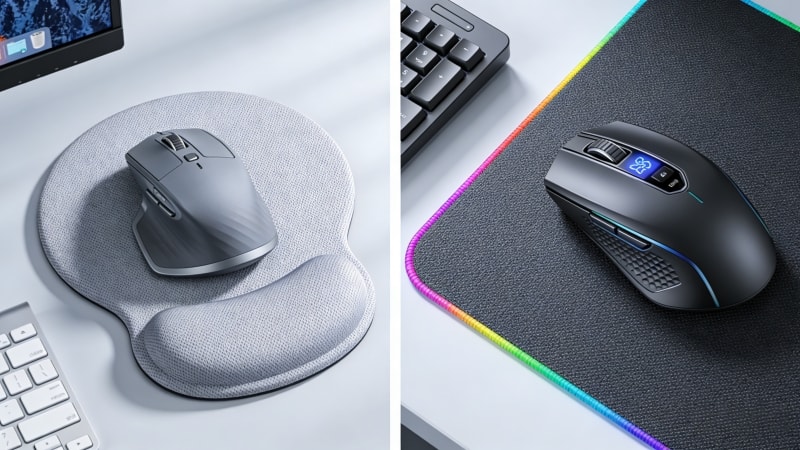
Ergonomic mouse pads are especially useful when:
You work long hours at a desk
You use large monitors or wide mouse movements
You prefer large desk mats instead of small pads
High-quality ergonomic mouse pads with natural rubber bases and smooth surfaces are commonly used in professional offices. These pads help reduce extra strain caused by difficult surfaces or extended use, improving comfort and precision. Manufacturers such as fdmat.com offer ergonomic mouse pads and desk mats in various sizes and materials to fit different workspaces.
Many users make these mistakes:
Expecting instant comfort on day one — some ergonomic mice, especially trackball models, have a steep learning curve. New users may initially struggle with precision and efficiency due to the learning curve, but adaptation brings ergonomic benefits.
Choosing the wrong mouse size or shape
Ignoring desk and chair height
Paying extra for features they do not need
Ergonomics works best as a complete system, not a single product.
Ergonomic mice and mouse pads do make a difference — for the right users. They are most valuable for people who use a mouse for many hours every day and want long-term comfort.
An ergonomic mouse improves posture. An ergonomic mouse pad improves comfort and stability. Together, they provide the best results.
If you are exploring ergonomic mouse pads or large desk mats for office or gaming use, you can visit www.fdmat.com to review product details or download a product catalog.
If you need help choosing the right solution, feel free to contact the team for support and recommendations.


