
Views: 0 Author: Amenda Publish Time: 2025-12-18 Origin: FDMAT
Spending long hours at a computer can take a serious toll on your wrists. If you experience wrist pain, numbness, or early symptoms of carpal tunnel syndrome, choosing the best ergonomic mouse pad can make a noticeable difference in daily comfort and long-term health.
A high-quality ergonomic mouse pad is designed to improve overall comfort by providing proper wrist support, reducing fatigue, and making extended computer use more comfortable.
This guide explains what makes a mouse pad ergonomic, how it helps reduce wrist strain, and how to choose the right option based on your work style. Whether you are an office professional, laptop user, or gamer, this article will help you make an informed decision.
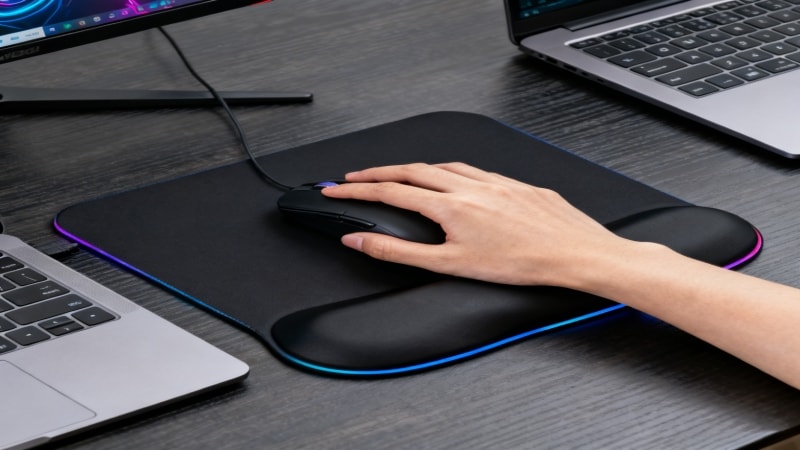
An ergonomic mouse pad is designed to support your wrist and palm in a neutral position, reducing pressure on sensitive nerves and minimizing repetitive strain.
Key features of the best ergonomic mouse pads include:
Contoured wrist rest
Non-slip base
Soft padding for enhanced comfort
Durable surface
In addition to comfort, ergonomic mouse pads can help improve precision during mouse movements by providing a stable and supportive surface.
Using an ergonomic mouse pad can help reduce the risk of repetitive stress injuries.
It's important to assess your own ergonomic needs and workspace setup before choosing the best mouse pad for you.
When your wrist bends upward or rests on a hard desk surface for extended periods, it increases pressure on the median nerve. This creates a risk of developing discomfort, fatigue, and repetitive strain injuries (RSI) due to poor wrist position. Importantly, maintaining a neutral wrist position is crucial for long-term health and reducing the likelihood of injury.
An ergonomic mouse pad helps by:
Supporting the wrist at a natural angle
Distributing pressure evenly
Reducing tension caused by prolonged mouse use
A regular mouse pad focuses mainly on mouse tracking. An ergonomic mouse pad adds wrist support, usually in the form of a built-in wrist rest made from memory foam, gel, or rubber-based materials.
Key differences include:
Raised wrist support vs flat surface
Pressure-relieving materials vs simple fabric
Anti-slip base for stability, with a specially designed underside that helps the mouse pad stick firmly to the desk surface and prevents unwanted movement
Reinforced edges to prevent fraying and increase durability
Ergonomic wrist rest shape, with special attention to the middle section, which is often contoured or raised to provide better comfort and support
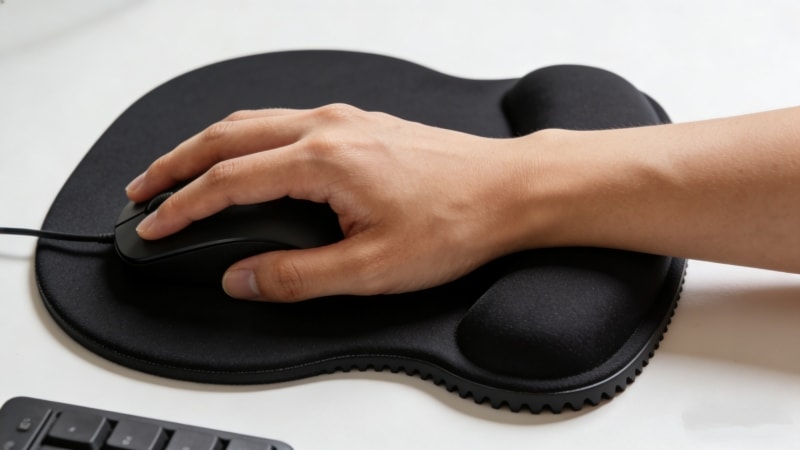
Many users search specifically for a carpal tunnel mouse pad because wrist discomfort is often linked to nerve compression. The ability of ergonomic mouse pads to support the wrist and promote healthier hand positioning can help reduce strain and prevent further injury.
An ergonomic mouse pad does not treat carpal tunnel syndrome, but it can:
Reduce strain caused by poor wrist posture
Help maintain a neutral hand position
Support healthier daily working habits
A good ergonomic mouse pad stays firmly in place and does not slide around during use, ensuring stable wrist support.
Used correctly, it can be a valuable part of a broader ergonomic setup.
Ergonomic mouse pads are especially beneficial for:
Office workers using a mouse for long hours, especially those performing repetitive tasks
Laptop users working on compact desks
Designers and editors with repetitive hand movements and tasks throughout the day
Gamers who require long sessions of precise mouse control

Not all ergonomic mouse pads are the same. Choosing the right one depends on materials, structure, and how you work.
When making a purchase, consider not only the design and comfort but also the ease of buying and overall customer satisfaction, especially if you plan to re-purchase the same product in the future. Some of the best ergonomic mouse pads are available at a good price, making them accessible for most users.
A high-quality ergonomic mouse pad is a worthwhile investment for your health and productivity.
1. Memory Foam
Adapts to wrist shape
Good pressure distribution
Ideal for long-term desk work
The body of memory foam wrist rests is designed to provide lasting comfort and durability, conforming to your wrist for optimal support.
2. Gel Pads (Gel-Filled Wrist Rests)
Cool to the touch
Conforms to the wrist for comfortable support
Firmer support but may have uneven pressure distribution
The body of gel pads is easy to clean, but may lack breathability, which can affect comfort during extended use
Suitable for short-to-medium sessions
3. Natural Rubber Base with Foam Support
Excellent anti-slip performance
Stable and durable
The body of these wrist rests offers a solid foundation, making them popular in professional office environments
The wrist rest should:
Be high enough to keep the wrist level with the mouse
Not push the wrist upward unnaturally
Offer balanced firmness (too soft collapses, too hard causes pressure)
Consider:
Smooth surface for optical and laser mice
Non-slip base to prevent movement
Desk size and available workspace
Mouse pads are also available in a variety of patterns to suit different aesthetic preferences.

Laptop users often work in tighter spaces and rely on trackpads or compact mice.
Unlike desktop setups, laptops:
Sit lower relative to arm position
Encourage wrist bending on hard surfaces
Increase strain during long sessions
A wrist pad for laptop use helps create a more comfortable working posture, especially when using an external mouse.
For laptop users, ideal options include:
Slim wrist pads
Lightweight and portable designs
Detachable wrist rests that fit in a laptop bag
Some portable wrist pads also come in eco-friendly packaging made from recycled materials, appealing to environmentally conscious users.
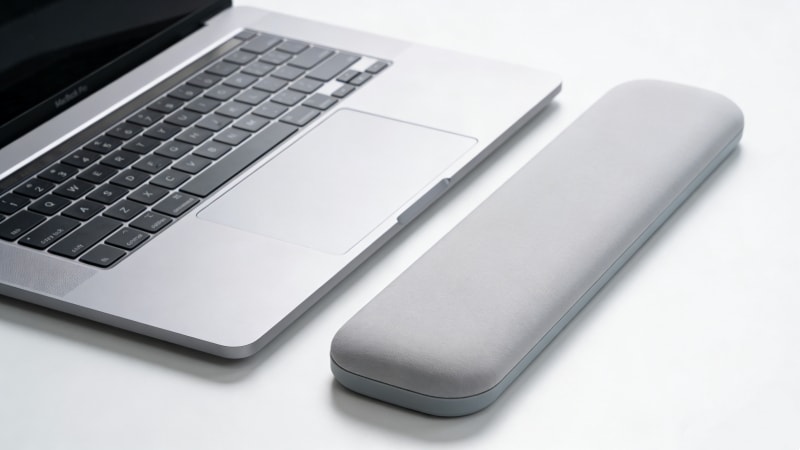
Additionally, an ergonomic mouse pad works best as part of a complete setup.
Reduce strain caused by constant typing and complement mouse wrist support.
Help reduce wrist rotation and work well with ergonomic mouse pads.
Proper chair height ensures your wrists align naturally with the desk surface.
Together, these ergonomic accessories create a healthier and more sustainable workspace.
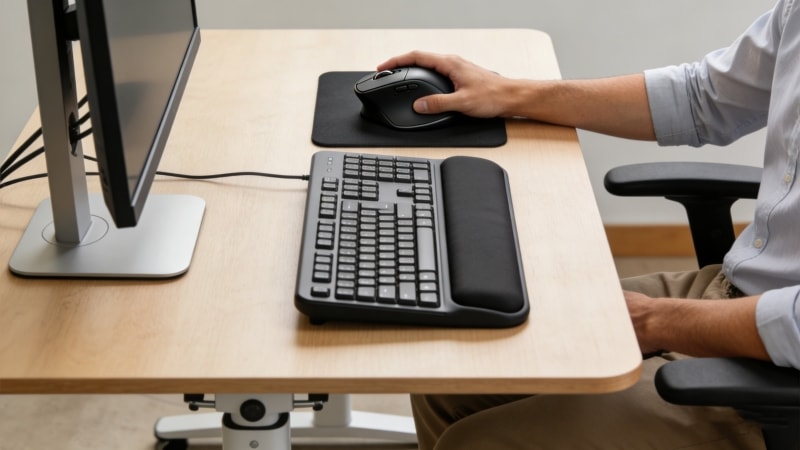
Data from recent ergonomic studies informs the design of modern mouse pads, ensuring they address common issues like wrist strain and repetitive stress injuries.
Modern ergonomic products integrate thoughtful design and material science. When considering different technologies or brands, their mention does not imply endorsement. It is important to review product features and user experiences to make an informed choice.
Memory foam and layered materials adapt to wrist shape while maintaining support.
Rubberized bases prevent movement, ensuring consistent wrist positioning.
High-quality ergonomic mouse pads retain their shape and performance even after prolonged use. They are designed to stand up to years of daily use, providing reliable support and durability for intensive work routines.
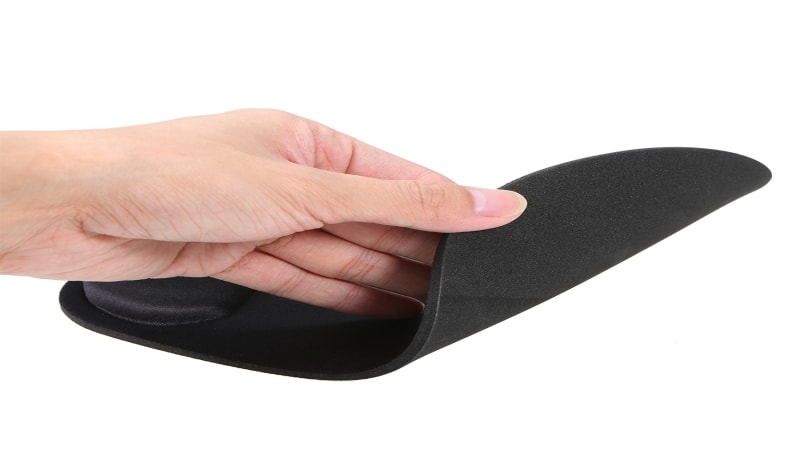
Even the best ergonomic mouse pad must be used properly.
Some advanced ergonomic mouse pads can provide feedback to help users maintain proper wrist posture. Additionally, user feedback is valuable for improving ergonomic mouse pad design.
Rest your wrist lightly on the support
Keep your hand relaxed, not pressing down
Move the mouse using your arm, not just your wrist
Leaning your full weight on the wrist rest
Using a wrist pad that is too high
Ignoring chair and desk height adjustments
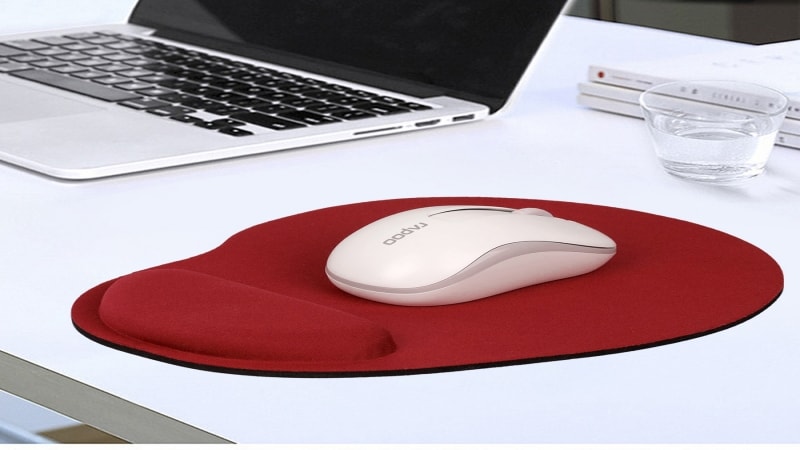
1. Is an ergonomic mouse pad good for carpal tunnel?
It can help reduce wrist strain and support healthier posture, but it is not a medical treatment.
2. How high should a wrist pad be?
Ideally, it should keep your wrist level with the mouse surface without bending upward.
3. Are gel or memory foam wrist pads better?
Memory foam offers adaptive comfort, while gel provides firmer, cooler support. Many users have noticed that memory foam wrist pads tend to provide more consistent comfort and support over long periods, while gel pads may feel cooler to the touch.
4. Can gamers benefit from ergonomic mouse pads?
Yes, especially during long gaming sessions that require repetitive movements.
5. How do you clean an ergonomic mouse pad?
Most ergonomic mouse pads can be wiped clean with a damp cloth, making it easy to remove dust, dirt, or debris and maintain hygiene.
6. Are ergonomic mouse pads expensive?
Many high-quality ergonomic mouse pads are available at a great price, offering excellent value without compromising on comfort or durability.
7. Can I buy the same mouse pad again?
Yes, many users are satisfied with their purchase and choose to repurchase the same model when they need a replacement.
The best ergonomic mouse pad is one that fits your daily habits, desk setup, and comfort needs. Whether you are managing wrist discomfort, working long office hours, or optimizing your laptop workstation, the right wrist support can significantly improve comfort over time.
Focus on proper materials, correct height, and overall ergonomics rather than just appearance. Combined with good posture and supportive accessories, an ergonomic mouse pad is a simple but effective step toward a healthier workspace.
If you are exploring ergonomic mouse pads for your office, brand, or business use, reviewing different material options, sizes, and support structures can help you make a more informed choice.
Feel free to reach out to discuss your specific requirements or usage scenarios — FDMAT team is happy to share product details, material suggestions, or customization options to support your decision.


